A Micro SD Card Module is a compact circuit designed to interface a microcontroller (e.g., Arduino, ESP32, Raspberry Pi) with a Micro SD card for data storage, retrieval, and management. This module can work both on SPI and SDIO mode, in this particular doc you will understand how to interface SD card with GLYPH in SPI mode.Documentation Index
Fetch the complete documentation index at: https://learn.pcbcupid.com/llms.txt
Use this file to discover all available pages before exploring further.
Pin Configuration
- 3V3: Power supply for the module (3.3V).
- D1 : data pin, used for data transfer
- SCK: Clock single for SPI communication
- MO : Master out slave in
- MI : Master in Slave out
- CS : chip select
- GND : ground
- D2 : data pin, used for data transfer
Key Features
- Supports microSD Cards
- SPI & SDIO Interface Compatible
- Plug-and-Play Interface
- Compact and Lightweight Design
- File System Compatibility
- Low Power Consumption
- Push-push type socket
Application
- Data Logging: Storing sensor data, logs, or measurements in projects like weather monitoring or IoT.
- Media Storage: Saving and retrieving images, videos, or audio files.
- Boot Media: Used in systems like Raspberry Pi for storing operating systems.
- Portable Data Transfer: Enabling easy data transport between devices.
Step 1: Hardware Required
- Glyph Boards
- G-MOD Micro SDCard Module
Step 2: Circuit Diagram
Step 3: Code Setup
- Open Arduino IDE.
- Copy and paste the following code into the Arduino IDE:
Step 4: Upload the Code
- Connect the Board
- Connect your GLYPH board to your computer
- Select the Board and Port
Tools > Board > esp32 > Pcbcupid GLYPH C3
Tools > Portand select the port connected to your GLYPH.Tools > USB CDC on Boot >Enabled
-
Upload the Code
- Click the upload button (➡️ icon) or use the shortcut
CRTL + Uin Arduino IDE to upload the code to the board.
- Click the upload button (➡️ icon) or use the shortcut
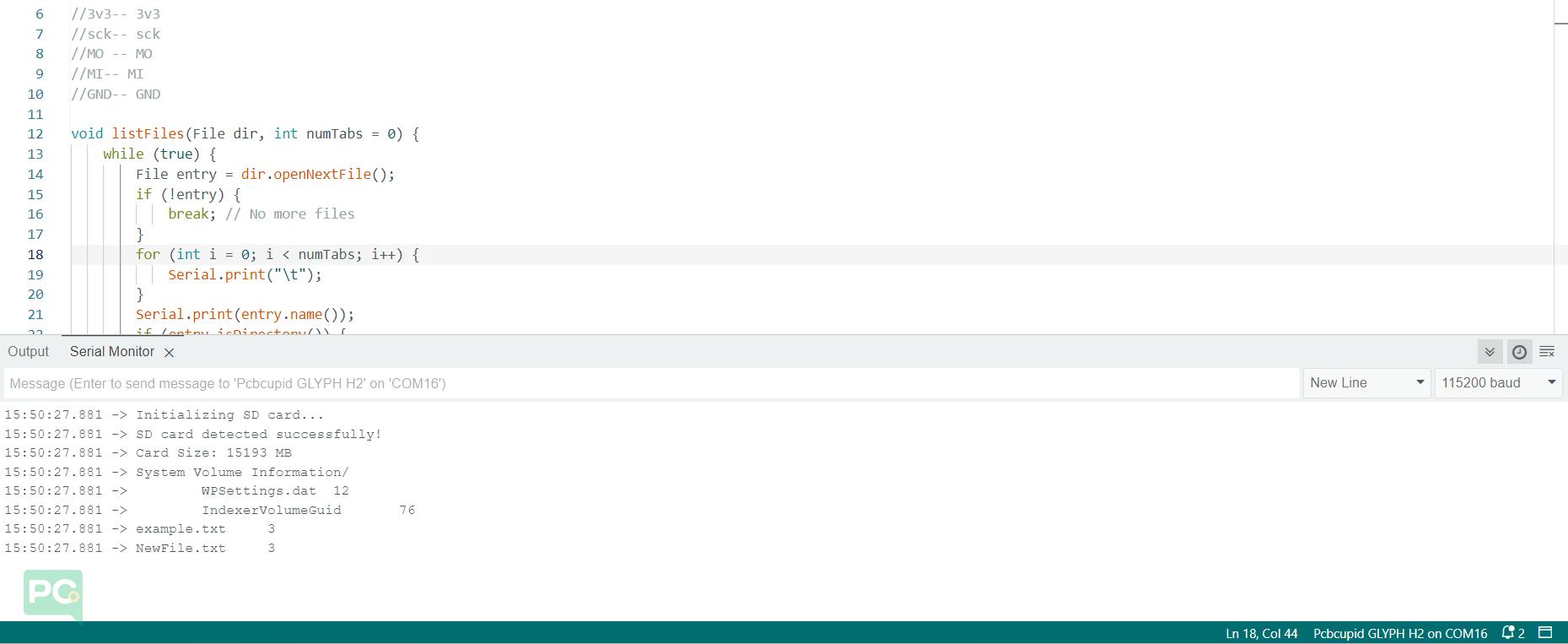
Step 5: Observe Output on Serial Monitor