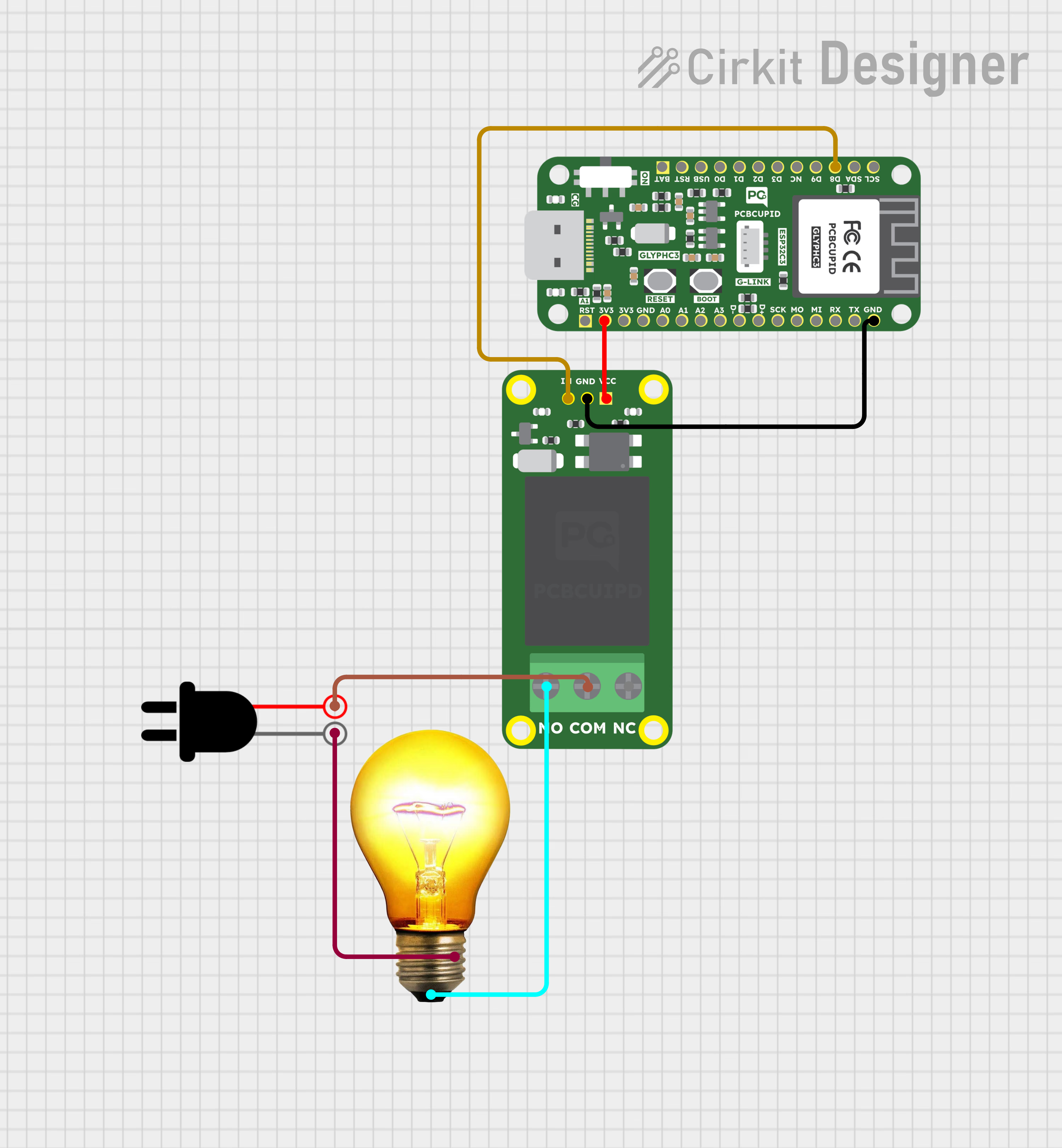
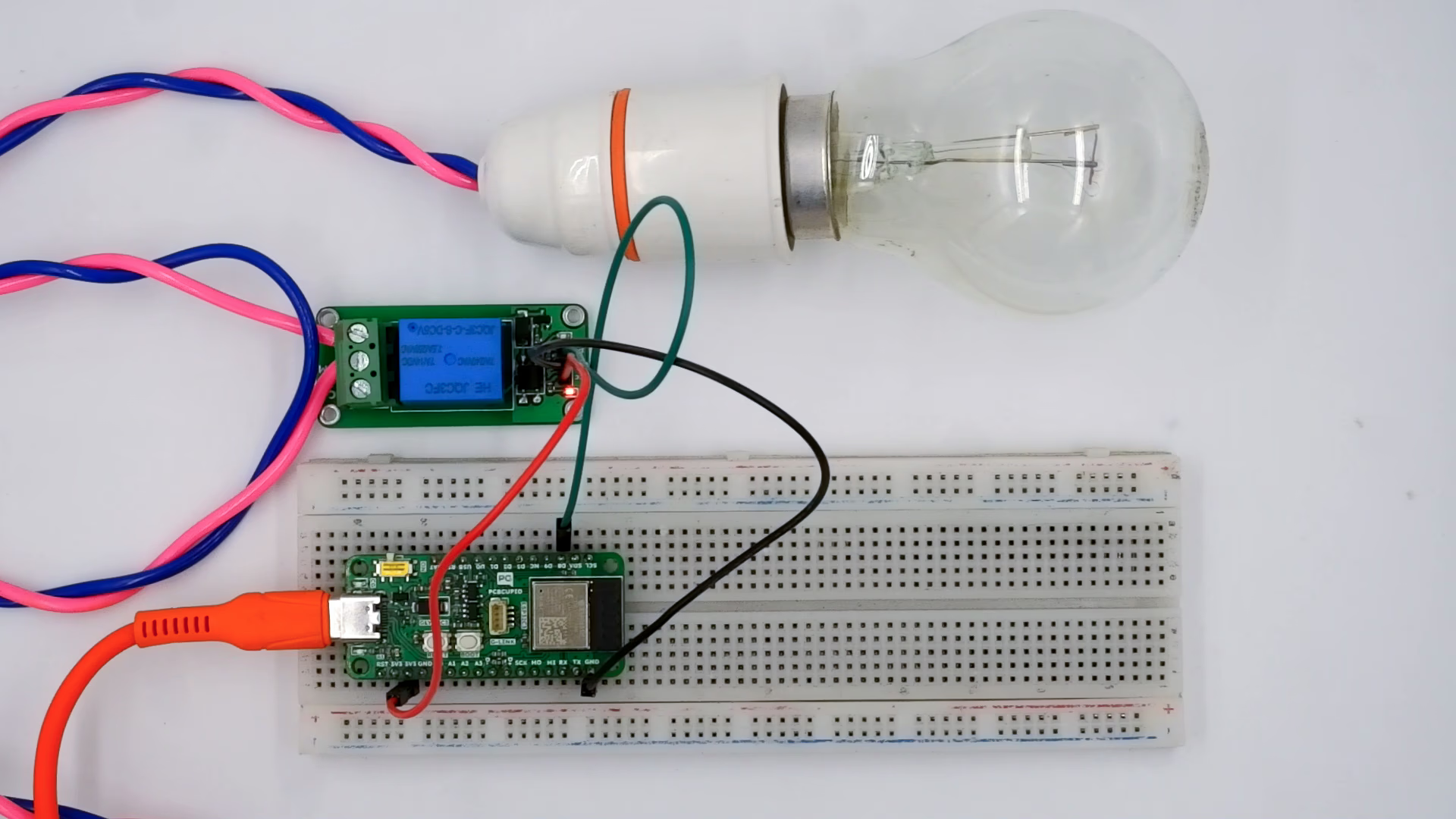
Wire a single-channel relay module to a Glyph ESP32 development board and toggle a high-voltage load on and off using an Arduino digital pin.
A 1-channel relay module provides control for a single independent relay. This makes it ideal for controlling high-power loads using low-power control signals from microcontrollers like Arduino, GLYPH, or even Raspberry Pi. Here’s how it works:
Each relay channel works independently, following the same principles as a single-channel relay:
When Control Signal is LOW (0V):The associated transistor remains off.
The corresponding relay coil is de-energized.
The relay’s Normally Open (NO) contact stays open
When Control Signal is HIGH (3.3V/5V):The associated transistor turns on, allowing current to flow through the relay coil.
The coil energizes, creating a magnetic field that pulls the armature.
The relay’s NO contact closes, completing the circuit for the connected load.
Operation Sequence
IN HIGH: Activates Relay to control the Load.
IN LOW: Deactivates the relay, disconnecting the load.
Home Automation: Controlling lights and fans independently.
Industrial Automation: Managing two separate devices or motors.
DIY Projects: Operating appliances remotely with microcontroller-based projects.
This guide will help you interface a 1 Channel Relay assuming you are using GLYPH-C3(but any GLYPH development board from the ESP32 Series should work)
#define RELAY_PIN 8 // GPIO pin connected to the relay's IN pinvoid setup() {pinMode(RELAY_PIN, OUTPUT); // Set the relay pin as an outputdigitalWrite(RELAY_PIN, LOW); // Ensure relay is off initially}void loop() {digitalWrite(RELAY_PIN, HIGH); // Turn relay ON (activate)delay(2500); // Wait for 2.5 secondsdigitalWrite(RELAY_PIN, LOW); // Turn relay OFF (deactivate)delay(2500); // Wait for 2.5 seconds}
Select the Board and PortDo the following settings in your Arduino IDE,
Tools > Board > esp32 > Pcbcupid GLYPH C3
For the Pcbcupid GLYPH C3 to appear under Tools > Board > esp32, the esp32 board version installed in the Arduino IDE should be greater than or equal to 3.1.0.
Tools > Port and select the port connected to your GLYPH.
Tools > USB CDC on Boot >Enabled
If USB CDC on BOOT is not enabled, you won’t be seeing any serial data on Arduino IDE.
Upload the Code
Click the upload button (➡️ icon) or use the shortcut CTRL + U in Arduino IDE to upload the code to the board.
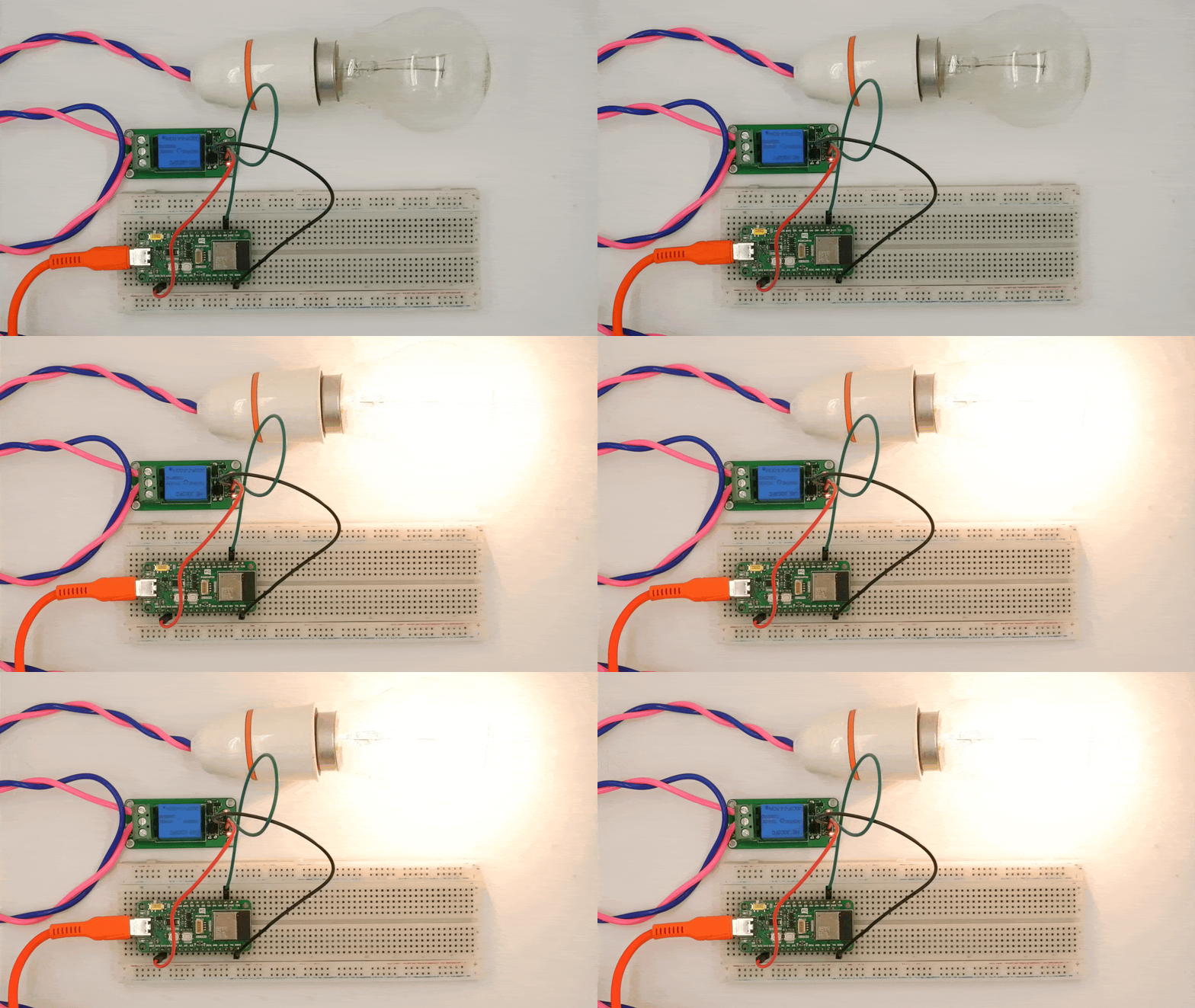
The relay will turn ON for 2.5 seconds, then OFF for 2.5 seconds, and this cycle will repeat.
Some relay modules are active LOW, meaning they turn ON when LOW and OFF when HIGH. If your relay behaves unexpectedly, try inverting the digitalWrite() logic.
Ensure the relay’s power rating matches the device you want to control.
You may hear a clicking sound as the relay switches states.
 The relay will turn ON for 2.5 seconds, then OFF for 2.5 seconds, and this cycle will repeat.