> ## Documentation Index
> Fetch the complete documentation index at: https://learn.pcbcupid.com/llms.txt
> Use this file to discover all available pages before exploring further.

> GSI003 industrial-grade temperature and humidity sensor with RS485 output, powered by TI's MSPM0 microcontroller for harsh environment monitoring.

# GSI003 Industrial Temp & Humidity Sensor

export const ShopHeader = ({title, url}) => <div style={{
  display: 'flex',
  justifyContent: 'flex-end',
  alignItems: 'center',
  width: '100%',
  marginBottom: '1rem',
  gap: '20px'
}}>
    <a href={url} target="_blank" rel="noopener noreferrer" style={{
  display: 'inline-flex',
  alignItems: 'center',
  backgroundColor: '#00b894',
  color: '#fff',
  padding: '8px 18px',
  borderRadius: '8px',
  textDecoration: 'none',
  fontSize: '0.95rem',
  fontWeight: 600,
  whiteSpace: 'nowrap',
  flexShrink: 0
}}>
      Shop now
    </a>
  </div>;

export const ImgGallery = ({images, modelUrl}) => {
  var [active, setActive] = useState(0);
  var [show3D, setShow3D] = useState(false);
  useEffect(function () {
    if (show3D || images.length <= 1) return;
    var t = setTimeout(function () {
      setActive(function (p) {
        return (p + 1) % images.length;
      });
    }, 3500);
    return function () {
      clearTimeout(t);
    };
  });
  var img = images[active];
  return <div style={{
    position: 'relative',
    background: 'linear-gradient(to bottom, #fff 0%, #fff 80%, #f8f8f8 100%)',
    borderRadius: '32px',
    border: '1px solid rgba(0,0,0,0.08)',
    overflow: 'hidden',
    marginTop: '0.75rem',
    marginBottom: '1.5rem'
  }}>
      <div style={{
    position: 'relative',
    height: '450px',
    display: 'flex',
    alignItems: 'center',
    justifyContent: 'center',
    background: '#fff',
    padding: '1rem'
  }}>
        {show3D && modelUrl ? <div ref={function (el) {
    if (!el || el._mv) return;
    el._mv = true;
    var s = document.createElement('script');
    s.src = "https://ajax.googleapis.com/ajax/libs/model-viewer/4.2.0/model-viewer.min.js";
    s.type = "module";
    s.onload = function () {
      var mv = document.createElement('model-viewer');
      mv.setAttribute('src', modelUrl);
      mv.setAttribute('camera-controls', '');
      mv.setAttribute('auto-rotate', '');
      mv.style.width = "100%";
      mv.style.height = "100%";
      mv.style.backgroundColor = "#f8f8f8";
      el.innerHTML = "";
      el.appendChild(mv);
    };
    document.head.appendChild(s);
  }} style={{
    width: "100%",
    height: "100%"
  }} /> : <img src={img && img.url} alt={img && img.label} loading="lazy" style={{
    maxWidth: '100%',
    maxHeight: '100%',
    objectFit: 'contain',
    borderRadius: '8px'
  }} />}
      </div>
      <div style={{
    display: 'flex',
    justifyContent: 'center',
    gap: '12px',
    padding: '1rem',
    background: '#eee',
    borderTop: '1px solid rgba(0,0,0,0.08)'
  }}>
        {images.map(function (img, idx) {
    return <button key={img.id || idx} onClick={function () {
      setActive(idx);
      setShow3D(false);
    }} style={{
      padding: '0.6rem 1.5rem',
      borderRadius: '12px',
      border: !show3D && idx === active ? '1px solid #00b894' : '1px solid rgba(0,184,148,0.4)',
      background: !show3D && idx === active ? '#00b894' : '#fff',
      color: !show3D && idx === active ? '#fff' : '#000',
      cursor: 'pointer',
      fontSize: '0.75rem',
      fontWeight: 700,
      textTransform: 'uppercase',
      fontFamily: 'inherit'
    }}>
              {img.label}
            </button>;
  })}
        {modelUrl ? <button onClick={function () {
    setShow3D(true);
  }} style={{
    padding: '0.6rem 1.5rem',
    borderRadius: '12px',
    border: show3D ? '1px solid #00b894' : '1px solid rgba(0,184,148,0.4)',
    background: show3D ? '#00b894' : '#fff',
    color: show3D ? '#fff' : '#000',
    cursor: 'pointer',
    fontSize: '0.75rem',
    fontWeight: 700,
    textTransform: 'uppercase',
    fontFamily: 'inherit'
  }}>
            3D VIEW
          </button> : null}
      </div>
    </div>;
};

<ShopHeader title="HDC3020 RS485 Sensor" url="https://shop.pcbcupid.com/product/gs007/" />

<ImgGallery images={[{url: "https://files.pcbcupid.com/Documentation/Boards/g-sense/hdc3020-rs485/MSPMO_RS485_V2_G1.avif", label: "ILLUSTRATION VIEW", id: "illustration"}, {url: "https://files.pcbcupid.com/Documentation/Boards/g-sense/hdc3020-rs485/hdc3020-rs485_boardview.avif", label: "BOARD VIEW", id: "board"}]} />

The **Gsense-HDC3020 (RS485)** is a precision temperature and humidity sensor with an RS485 interface based on the [HDC3020](https://www.ti.com/lit/ds/symlink/hdc3020.pdf) IC. It's designed for industrial environmental monitoring, long-distance data transmission, and smart building applications.

Gsense-GSI003 is a unique sensor module offering from PCBCUPID which uses worlds tiniest micrcontroller **MSCM0C1104** along with **HDC3020** to give high accurate temperature and humidity with RS485 output.<br />

This particular module is a demo kit to show the capability of world tiniest micrcontroller for the presentation [**Zephyr RTOS: Under 1KB of RAM**](https://osseu2025.sched.com/event/25VuG) by [Parthiban N](https://www.linkedin.com/in/parthitce/) and [Karthikeyan Krishnasamy](https://osseu2025.sched.com/speaker/karthikeyan7) happening at Open Source Summit 25th-27th August 2025 - Amsterdam,Netherlands.

## G-Sense GSI003

The G-sense GSI003 is a humidity and temperature sensor with MSPM0 family microcontroller and THVD1406 to produce direct RS485 output from the HDC3020 sensor. These are part of Texas Instruments product series. It is designed for low-cost, low-power, and space-efficient applications.

### Key Features

* Relative humidity (RH) accuracy: ±1.5% (typical)
* Temperature accuracy: ±0.2 °C (typical)
* Operating humidity range: 0% RH to 100% RH
* Operating temperature range: –40 °C to +125 °C
* Supply voltage range: 3.3 V to 5.5 V
* Fully digital output via RS485
* Integrated RS485 Converter
* Integrated WS2812B RGB LED

### Applications

* Industrial monitoring: HVAC systems, industrial control rooms, warehouse monitoring
* Consumer appliances: refrigerators, air conditioners, smart thermostats
* Environmental monitoring: weather stations, portable data loggers
* IoT devices: battery-powered environmental sensing nodes
* Automotive systems: in-cabin climate monitoring

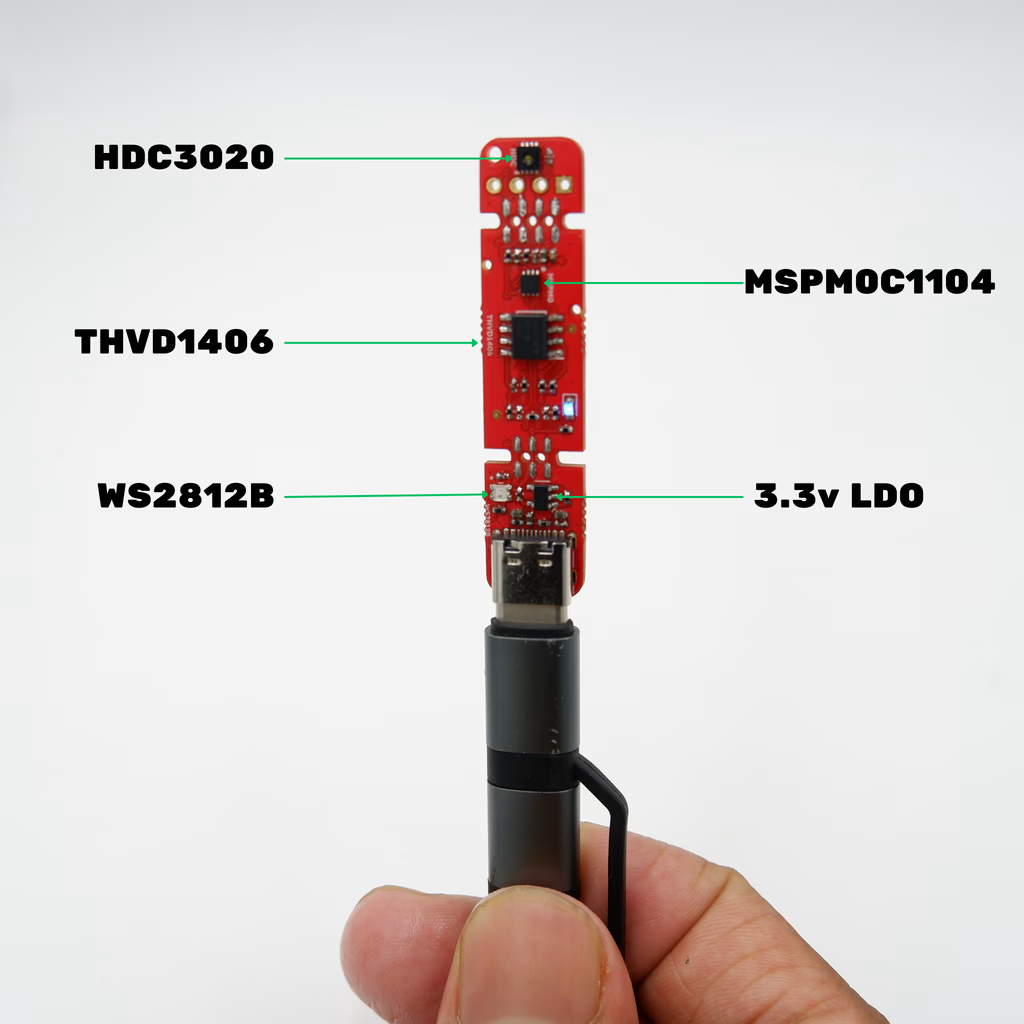
### Components

<div style={{ textAlign: "center" }}>
  <img src="https://files.pcbcupid.com/Documentation/Boards/g-sense/hdc3020-rs485/pcbcupid-gsi0003-compoennts.avif" alt="pcbcupid-gsense-1ch-mic" width="500" />
</div>

These are the major components used in G-sense GSI003

* [HDC3020](https://files.pcbcupid.com/Documentation/Boards/g-sense/hdc3020-rs485/hdc3020.pdf)
* [MSMP0C1104](https://files.pcbcupid.com/Documentation/Boards/g-sense/hdc3020-rs485/mspm0c1104.pdf)
* [THVD1406](https://files.pcbcupid.com/Documentation/Boards/g-sense/hdc3020-rs485/thvd1406.pdf)
* [WS2812B](https://files.pcbcupid.com/Documentation/Boards/g-sense/hdc3020-rs485/WS2812B-2020_V10_EN_181106150240761.pdf)

### Schematics

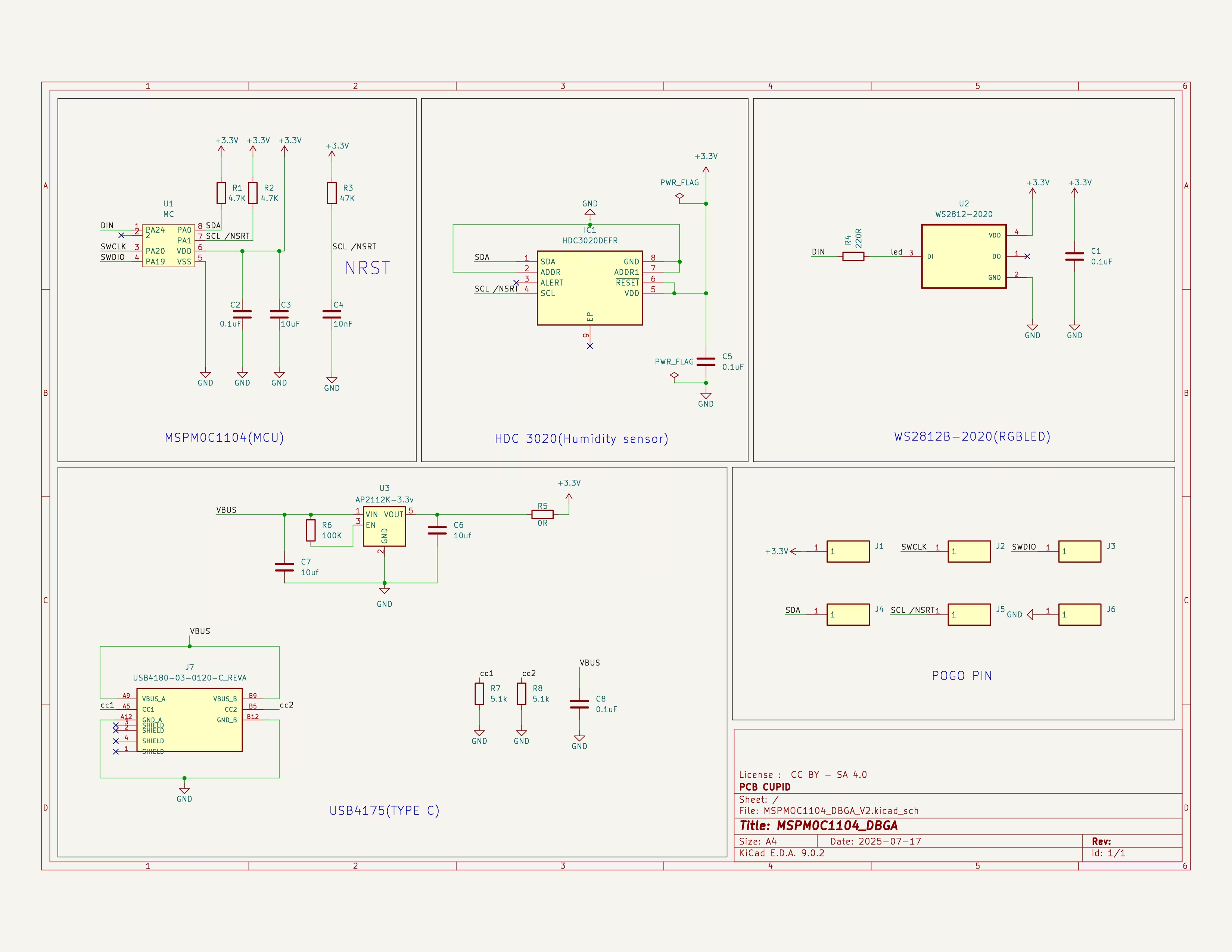
**MSPM0C1104 DBGA PACKAGE WITHOUT RS485**

<div style={{ textAlign: "center" }}>
  <img src="https://files.pcbcupid.com/Documentation/Boards/g-sense/hdc3020-rs485/pcbcupid-mspm0c1104-DBGA-schematics.avif" alt="pcbcupid-gsense" />
</div>

[Download Schematic in PDF Format](https://files.pcbcupid.com/Documentation/Boards/g-sense/hdc3020-rs485/pcbcupid-mspm0c1104-DBGA-schematics.pdf)

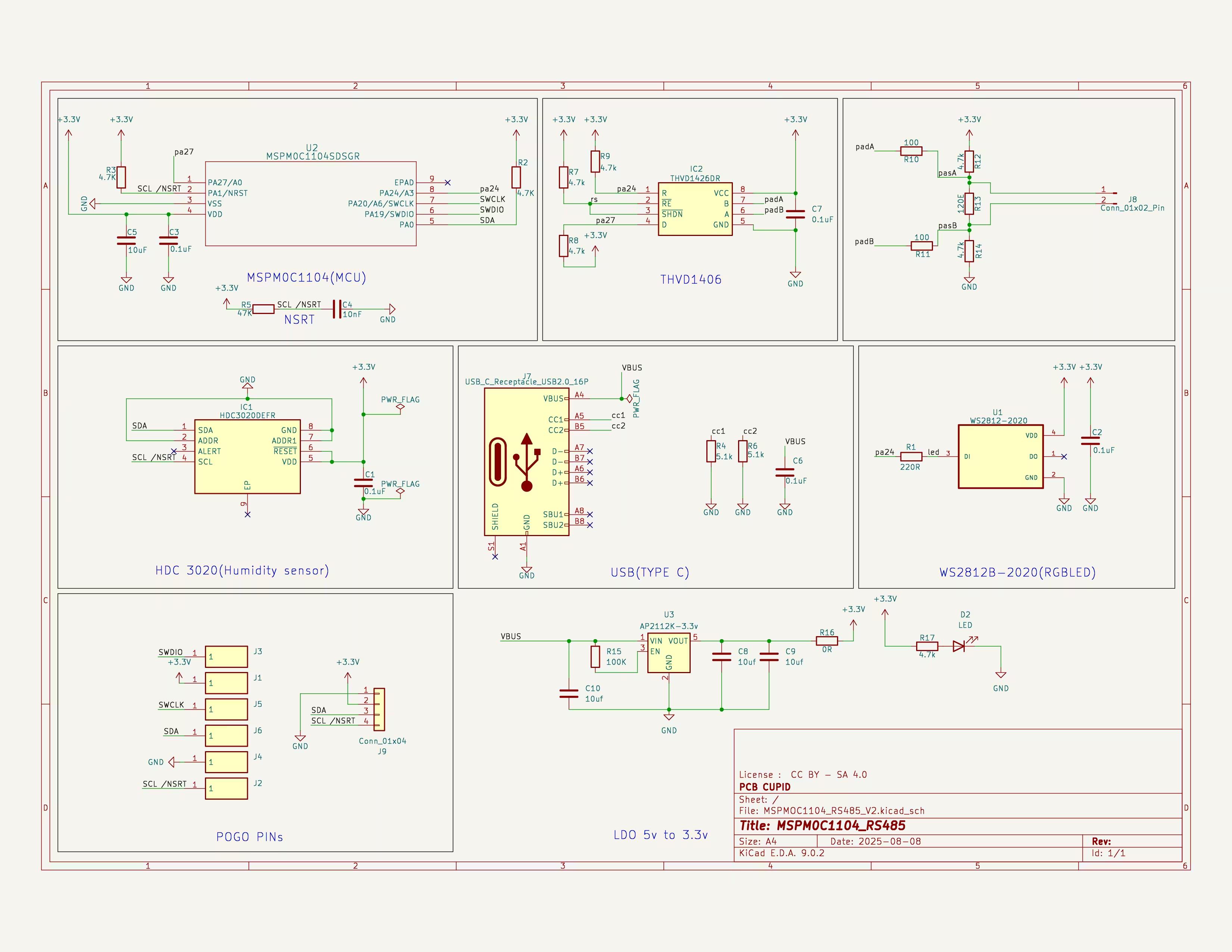
**MSPM0C1104 WSON PACKAGE WITH RS485**

<div style={{ textAlign: "center" }}>
  <img src="https://files.pcbcupid.com/Documentation/Boards/g-sense/hdc3020-rs485/pcbcupid-mspm0c1104-schematics.avif" alt="pcbcupid-gsense" />
</div>

[Download Schematic in PDF Format](https://files.pcbcupid.com/Documentation/Boards/g-sense/hdc3020-rs485/pcbcupid-mspm0c1104-schematics.pdf)

You can checkout the [Git repo](https://github.com/pcbcupid/MSPM0C1104-DEV-KIT) for the kicad schematics/layout files!

### Programming

<div style={{ display: "flex", gap: "10px" }}>
  <img src="https://files.pcbcupid.com/Documentation/Boards/g-sense/hdc3020-rs485/pbcupid-gsense-gsi003-programming-pads.avif" style={{ maxWidth: "45%" }} />

  <img src="https://files.pcbcupid.com/Documentation/Boards/g-sense/hdc3020-rs485/pcbcupid-GSI0003-DBGA-program.avif" alt="GSI0003 Programming" style={{ maxWidth: "45%" }} />
</div>

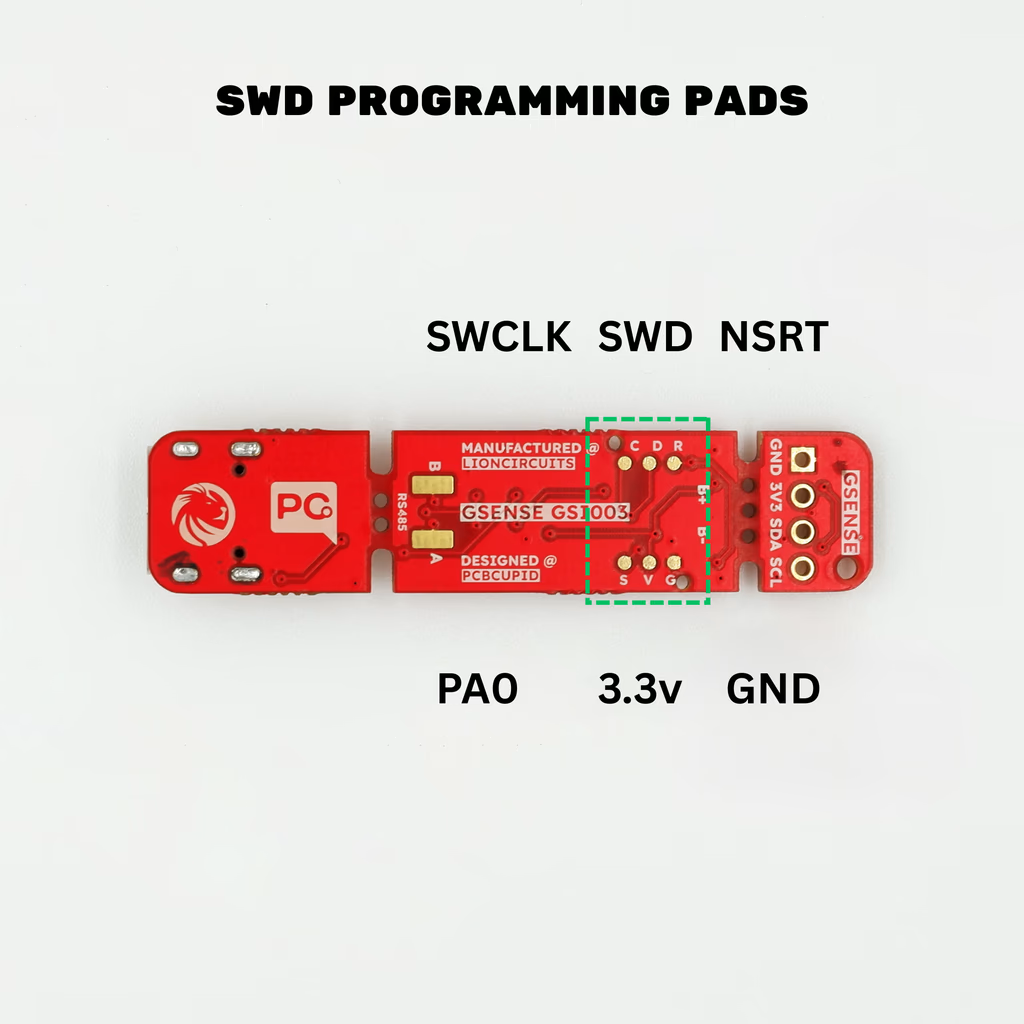
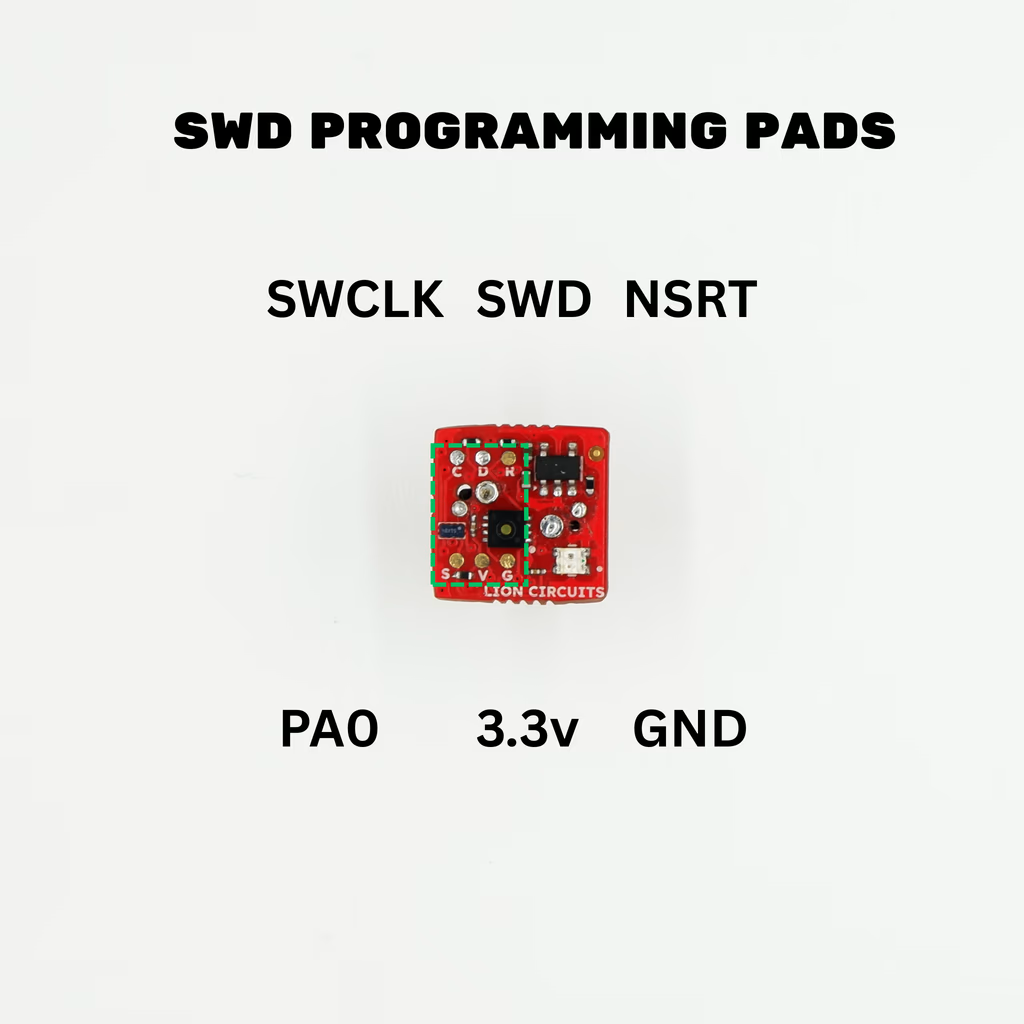
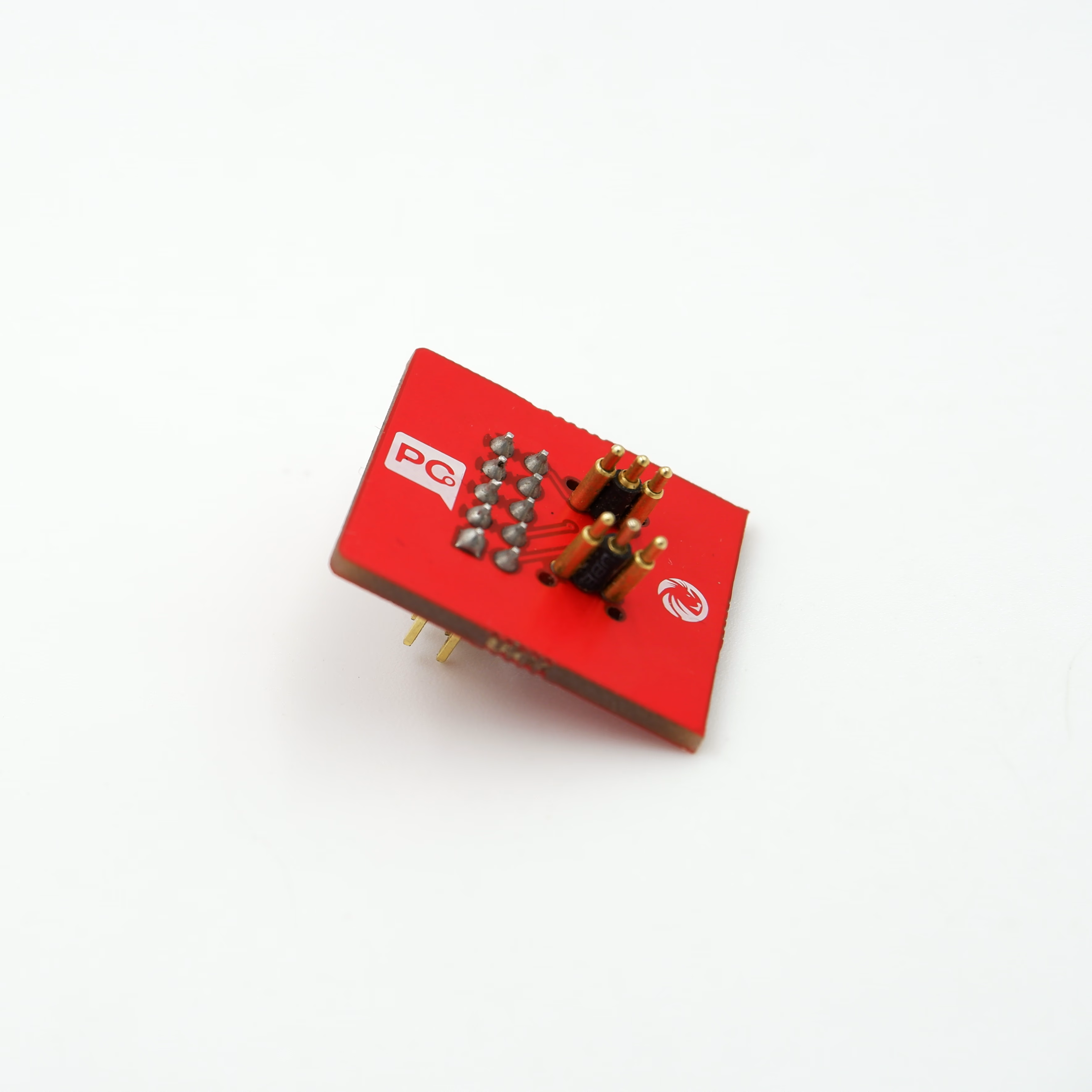
This sensor has to be programmed to convert the HDC sensor's I2C data to RS485 or to do anything useful. This can be done through the SWD interface provided in the back of the module.

<div style={{ textAlign: "center" }}>
  <img src="https://files.pcbcupid.com/Documentation/Boards/g-sense/hdc3020-rs485/pcbcupid-GSI0003-test-jig.avif" alt="pcbcupid-gsense" width="500" />
</div>

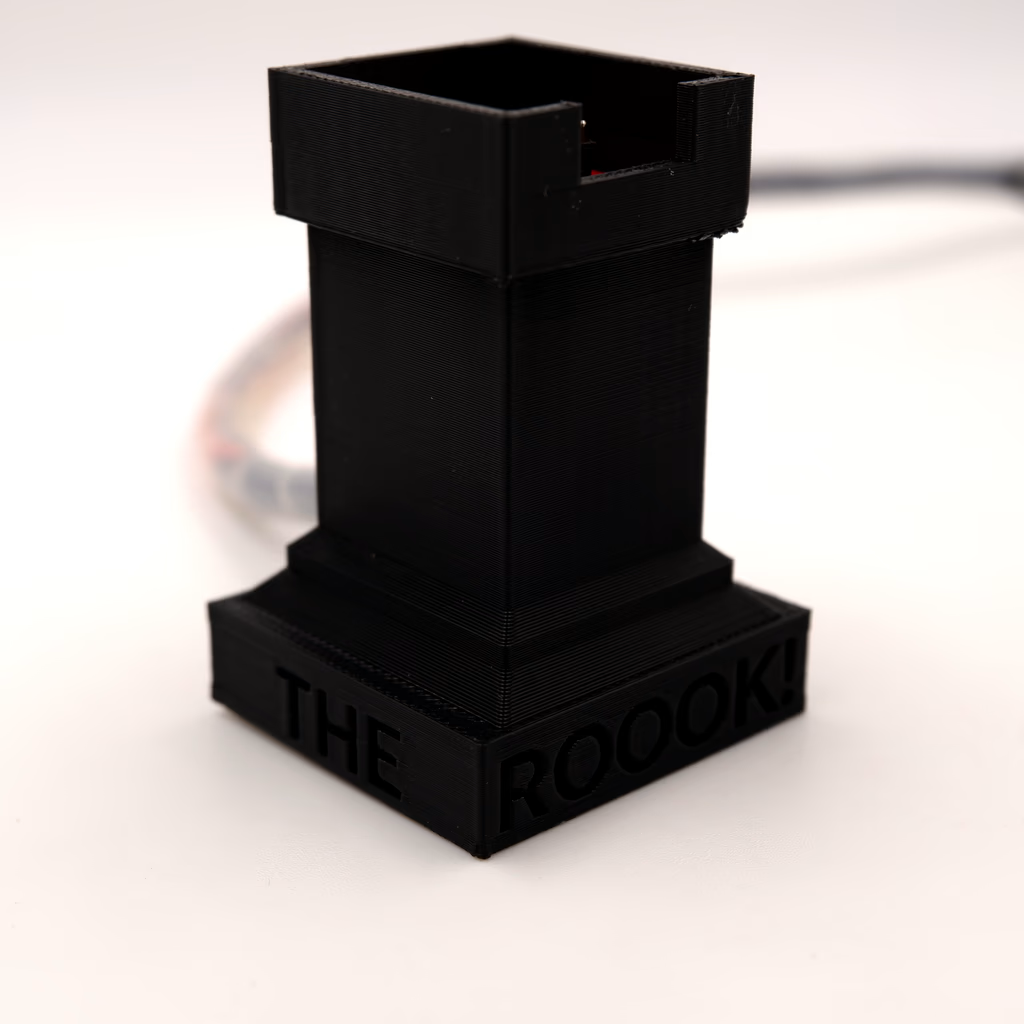
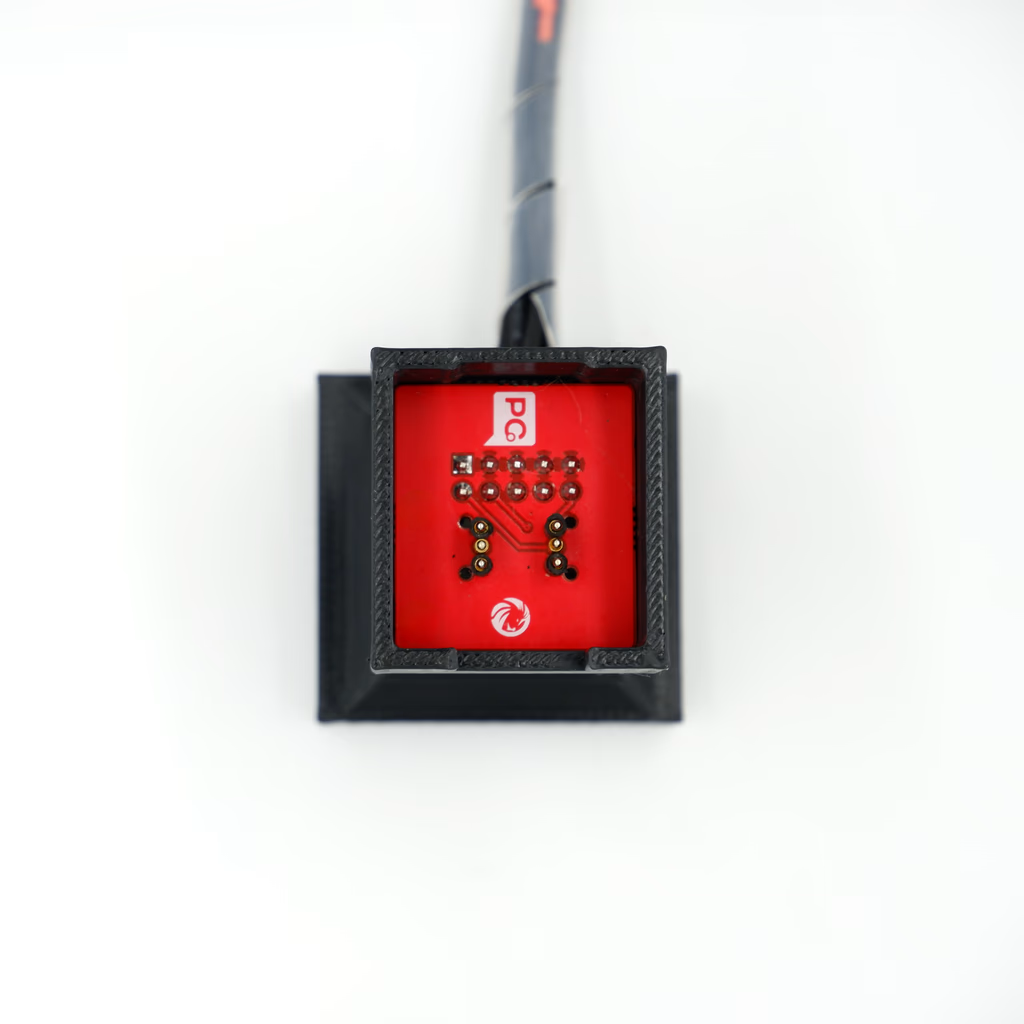
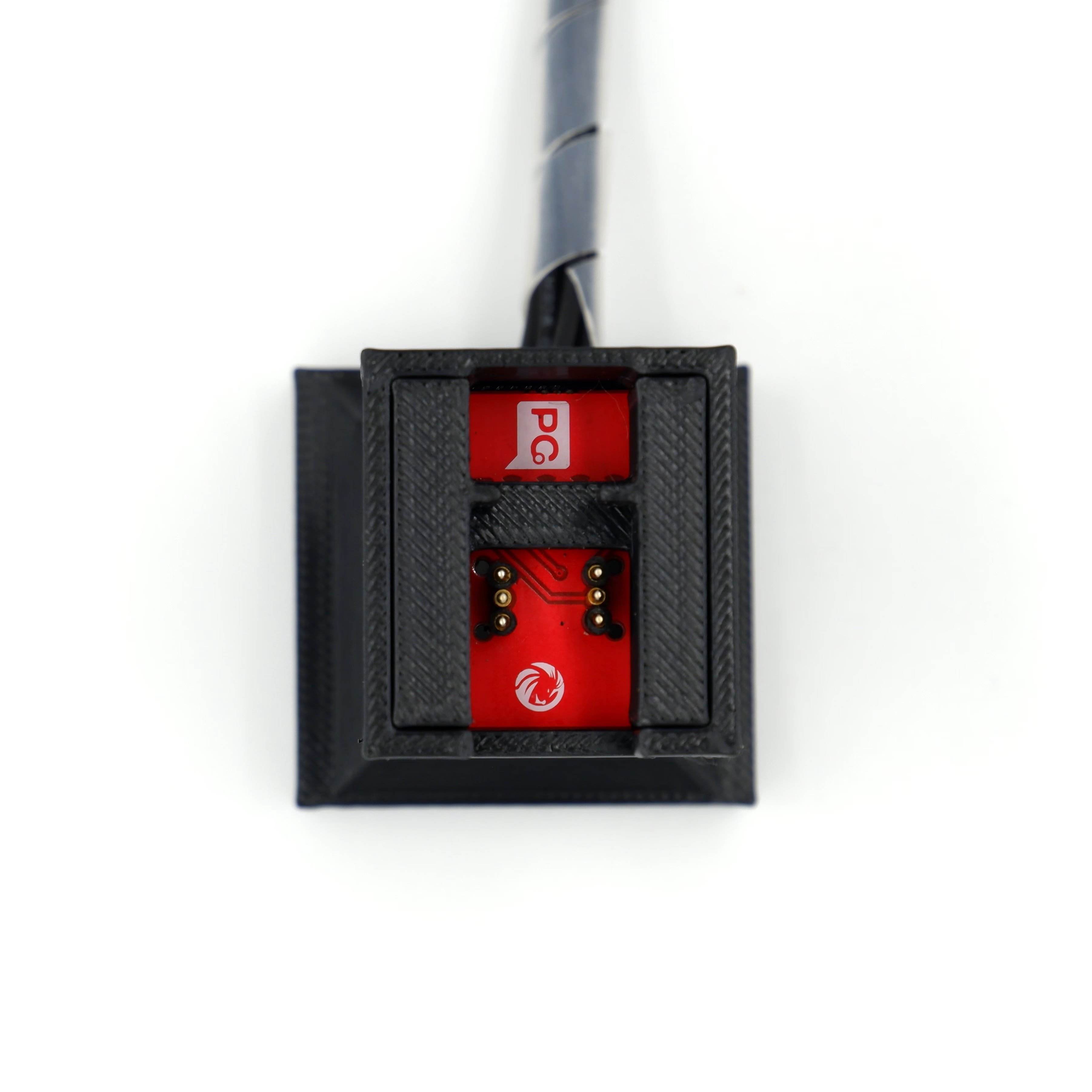
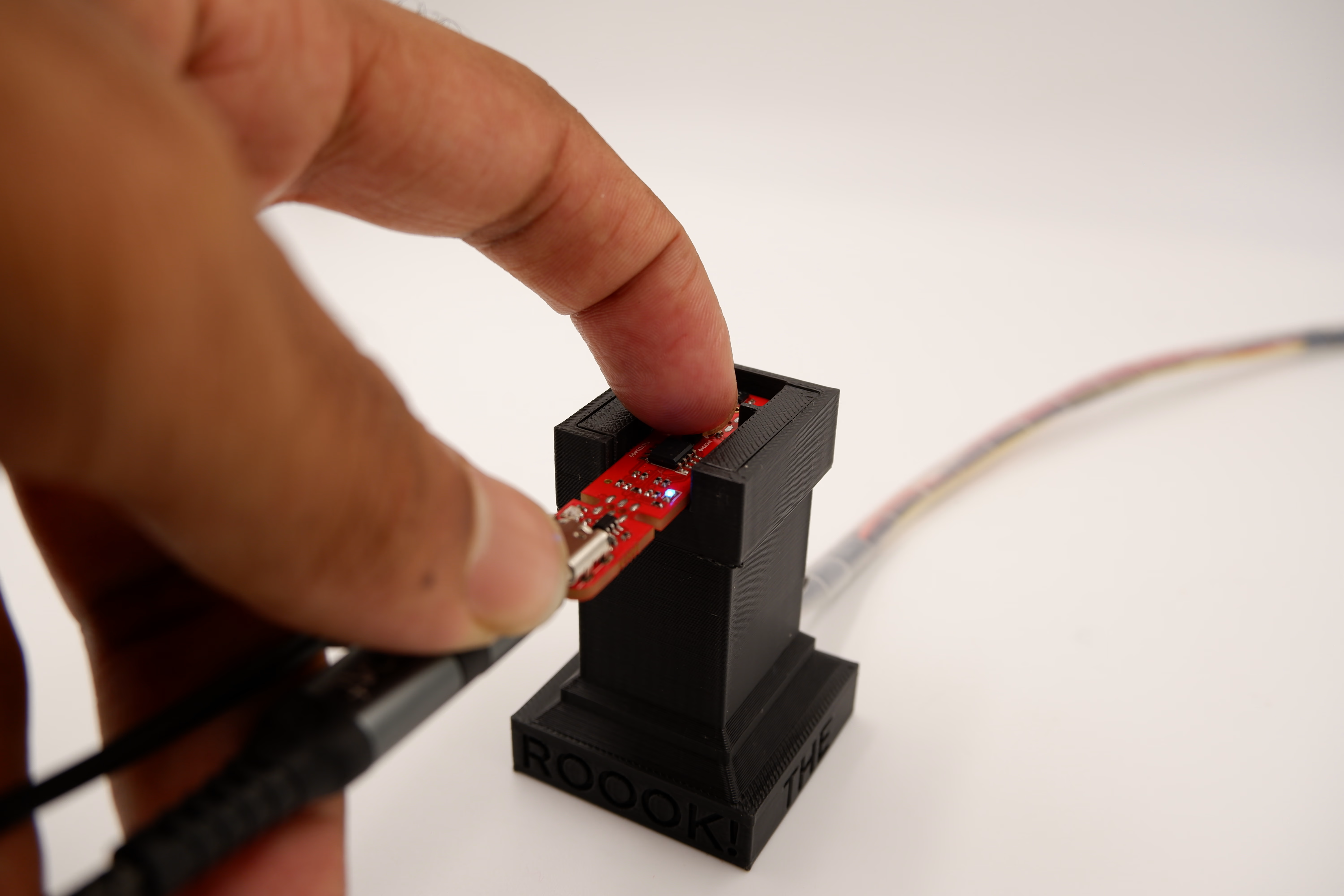
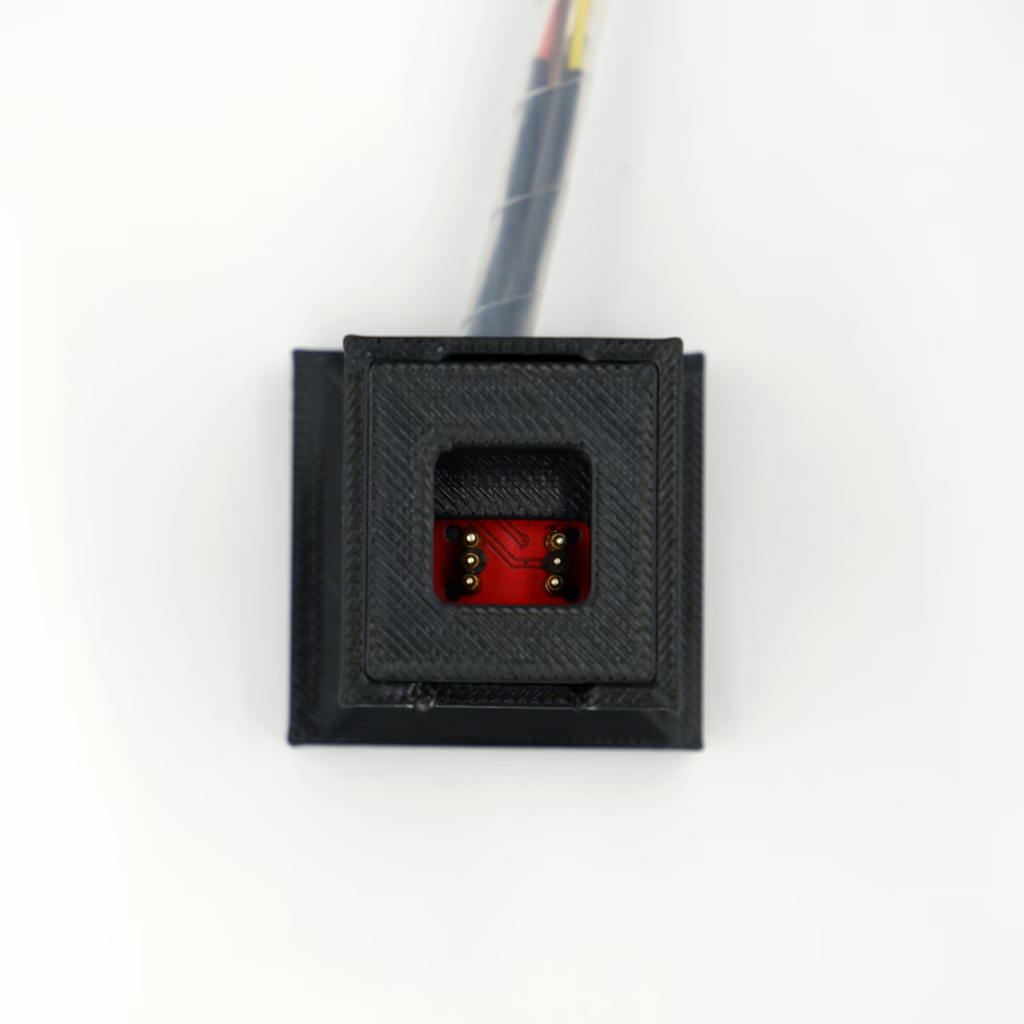
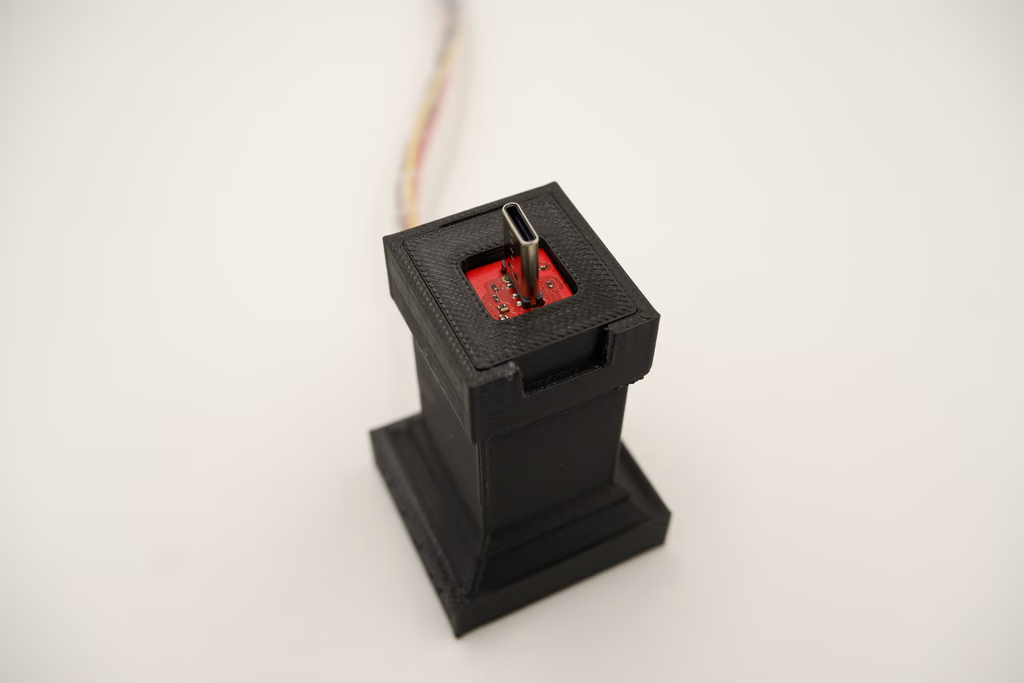
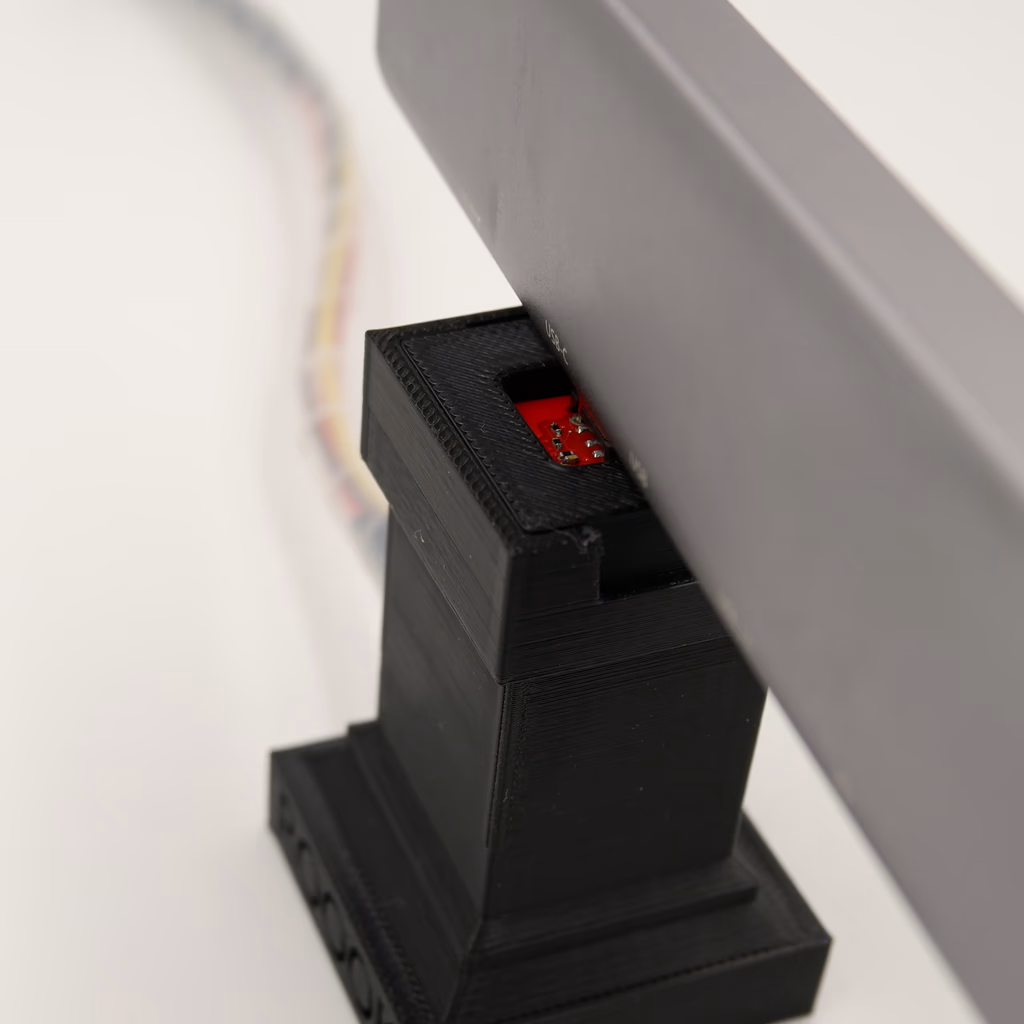
You can use the **PCBCUPID JTAG adapter** along with a **SEGGER EMULATOR PRO** for programming this module along with a JIG

<div style={{ display: "flex", gap: "10px" }}>
  <img src="https://files.pcbcupid.com/Documentation/Boards/g-sense/hdc3020-rs485/pcbcupid-rook-test-jig-rook_result.avif" style={{ maxWidth: "45%" }} />

  <img src="https://files.pcbcupid.com/Documentation/Boards/g-sense/hdc3020-rs485/GSI003-DBGA-ADAPTER_result.avif" alt="GSI0003 Programming" style={{ maxWidth: "45%" }} />
</div>

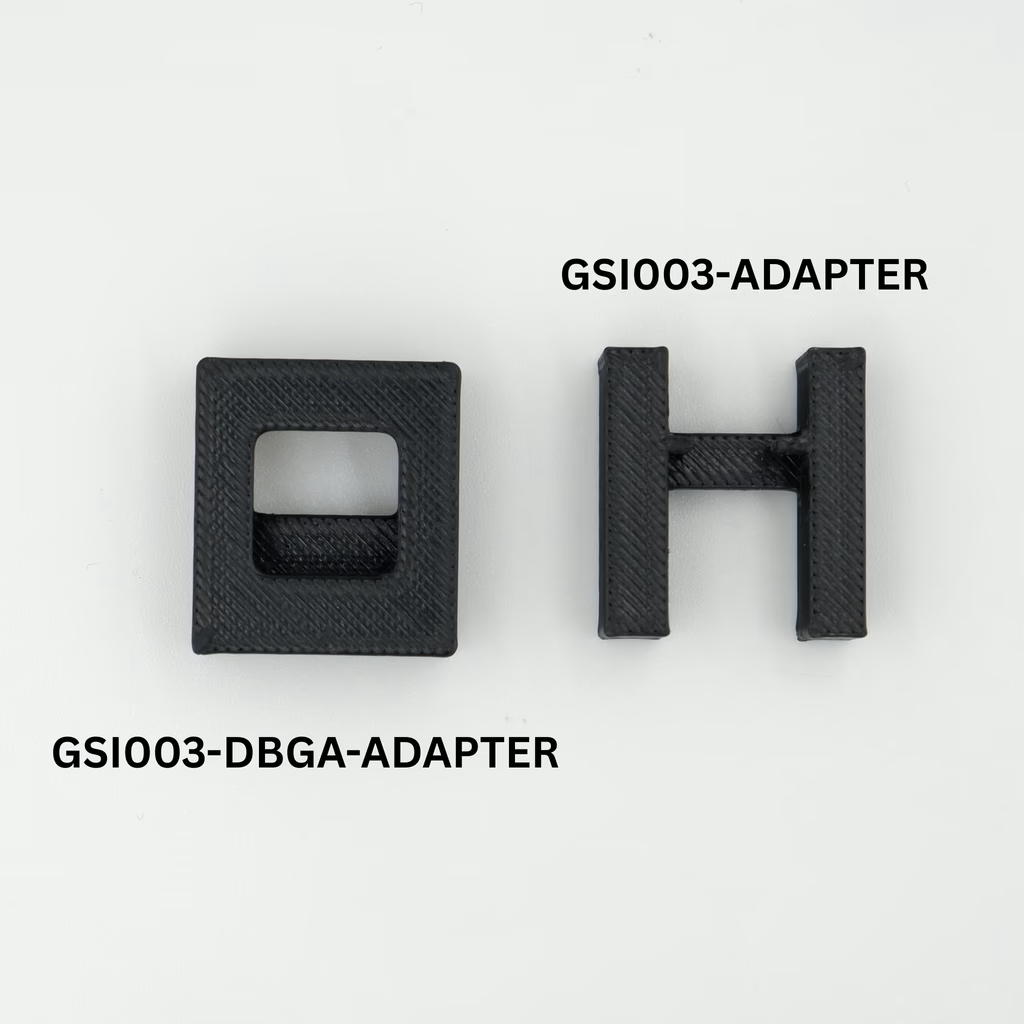
This JIG is designed in such a way that, it can be used for testing/programming both the RS485 and NON-RS485 version. You can use the adapter and change the JIG as needed.

You can download the 3D model [here](https://www.printables.com/model/1394745-g-sense-gsi003-programming-jig)

#### Programming RS485 Version

<div style={{ display: "flex", gap: "10px" }}>
  <img src="https://files.pcbcupid.com/Documentation/Boards/g-sense/hdc3020-rs485/pcbcupid-topview-test-jig_result.avif" style={{ maxWidth: "45%" }} />

  <img src="https://files.pcbcupid.com/Documentation/Boards/g-sense/hdc3020-rs485/pcbcupid-topview-test-WSON-jig.avif " style={{ maxWidth: "45%" }} />
</div>

<div style={{ display: "flex", gap: "10px" }}>
  <img src="https://files.pcbcupid.com/Documentation/Boards/g-sense/hdc3020-rs485/pcbcupid-GSI0003-programming%20(1)_result.avif" style={{ maxWidth: "45%" }} />

  <img src="https://files.pcbcupid.com/Documentation/Boards/g-sense/hdc3020-rs485/pcbcupid-GSI0003-programming-3.avif" style={{ maxWidth: "45%" }} />
</div>

<Warning>
  Make sure the device is powered through USB while programming
</Warning>

#### Programming NON-RS485 Version

<div style={{ display: "flex", gap: "10px" }}>
  <img src="https://files.pcbcupid.com/Documentation/Boards/g-sense/hdc3020-rs485/pcbcupid-topview-test-jig_result.avif" style={{ maxWidth: "45%" }} />

  <img src="https://files.pcbcupid.com/Documentation/Boards/g-sense/hdc3020-rs485/pcbcupid-topview-test-DBGA-jig_result.avif" style={{ maxWidth: "45%" }} />
</div>

<div style={{ display: "flex", gap: "10px" }}>
  <img src="https://files.pcbcupid.com/Documentation/Boards/g-sense/hdc3020-rs485/pcbcupid-GSI0003-DBGA-programming2_result.avif" style={{ maxWidth: "45%" }} />

  <img src="https://files.pcbcupid.com/Documentation/Boards/g-sense/hdc3020-rs485/pcbcupid-GSI0003-programming-5_result.avif" style={{ maxWidth: "45%" }} />
</div>

<Warning>
  Make sure the device is powered through USB while programming
</Warning>